Category: advice

  • Has Microsoft learned anything from Vista?

    Has Microsoft learned anything from Vista?

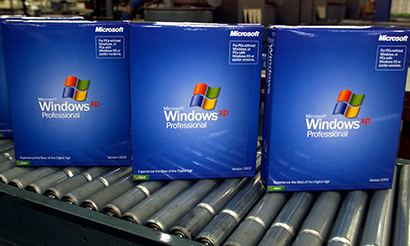
    CNet’s Ina Fried reports Microsoft has set an October 22 release date for Windows 7, their new operating system to replace the flawed and unpopular Windows Vista.

    In an article earlier this year, Ina quoted Microsoft Senior Vice President Bill Veghte that Microsoft has learned important lessons from Vista.

    One lesson they appear not to have learned is how multiple versions of the product confuses the marketplace and tarnishes their brand.

    That we still have FIVE versions of the new system, and that they’ve locked themselves into a release date before the final Release Candidate version, doesn’t bode well for Windows 7.

    As usual, the advice for most computer users will be to sit and wait until the first Service Pack is released. I wonder if Microsoft will repeat the bluff of claiming there will be no service pack which failed so dismally with Vista?

    Let’s see if they’ve actually learned anything from the humiliation that was Vista.

    Similar posts:

    • No Related Posts
  • ABC Weekend computers

    The next ABC spot is this Sunday at 10am on 702 Sydney.

    Join Paul Wallbank and Simon Marnie to discuss what you should be looking for in new computers and end of financial year technology shopping.

    Your comments and questions are welcome so call in on 1300 222 702 or SMS on 19922702.

    If you aren’t in the 702 Sydney area, you can listen online through the 702 website.

    Weekend computers on LinkedIn events
    Weekend Computers on Facebook events

    Similar posts:

    • No Related Posts
  • Being proud of your business

    Being proud of your business

    Too many businesses have bland “about us” pages featuring stock photos and generic corporate phrases, here’s two examples;

    We have many years of practical experience as sales managers, directors and business leaders.

    Our staff have a great deal of experience, having placed hundreds of candidates in positions at many different hospitals and clinics

    Both of these businesses have owners with fantastic experience, great staff and a terrific story to tell, yet from their web site you would never know this.

    For all the reader knows, they are just another anonymous branch of a multinational which is a terrible waste for these great teams.

    The web is one of the few ways a small business owner can tell their story without restrictions. So there’s no excuse to be shy about why you are so good at your job. Tell people who you are, why you are doing what you do and how good you are at doing it.

    And ditch the stock photos. Chisel jawed models in Italian suits playing with laptops are fooling no-one. Put your own photo up and be be proud of who you are.

    Potential customers visit your web site to find about you, they want to hear your story and why your businesses will delight them and meet their needs.

    So use that “about us” page properly, tell your story and introduce yourself. Don’t be shy, you should be proud of who you are and what you do.

    Similar posts:

  • 10 tips to avoid Powerpoint disasters

    This article originally appeared in my smartcompany blog on the 2nd September 2008. 

    Presentations almost always have tech hiccups a recent one I attended was no exception. One presenters, Douglas Wright, had problems with some of his charts, and midway through Chris Thomas’ segment the laptop running the PowerPoint presentation decided to go into hibernation. 

    This sort of thing is funny for the audience and good speakers will make a joke and move on, as Chris and Douglas did, but it can throw you off your stride or happen just as you’re about to make a killer point.


    Whether you’re doing it in front of 600 people at the Melbourne Town Hall or six of your nearest and dearest, you don’t want the computer distracting from your message. Here’s 10 things to check before you stand up in front of an audience.


    1. Check the power: Is the laptop plugged in and is the power on?
    2. Disable power saving and screen savers: A system kicking into sleep mode is irritating enough, but I’ve seen a presentation stop when a password protected screen saver came on and no-one in the room knew the word to unlock it. Turn off all the power saving features or crank up the time settings to the maximum.
    3. Turn off updates and scans: Run virus scans and system updates before the presentation. Turn off all scanners or update tools while you are presenting.
    4. Don’t run any unnecessary programs: Constant “you’ve got mail” type noises are distracting, also you do not want an embarrassing instant message from your idiot brother-in-law popping up as you give your call to action.
    5. Keep it simple: Exotic fonts and rare graphics increase the likelihood something will go wrong. Watch your image sizes too as well as many computers struggle with big graphics.
    6. Test your presentation: Get to the venue early and test your show on the venue’s system. Just because it works on your computer doesn’t mean it will on someone else’s. This is particularly true if the venue uses a different presentation package to yours.
    7. Clean up your system: If you are using your own system, give it a good clean out the day before. Clear out the browsing history just before the presentation.
    8. Test your equipment before the show: If you are bringing your own technology such as mouse/pointer combo device, install it before you take the stage. The famous Bill Gates Blue Screen of Death when showing a preview of Windows 98 is the poster child for what can go wrong when you don’t test beforehand.
    9. Check your connections: Personally I like to avoid accessing the net during presentations, but if you need net access, check you have it before putting your show together and test it at the venue.
    10. Call for help: The moment you notice something not working right, raise the alarm. If something starts beeping or spewing toxic smoke, it’s probably a good idea to let the organiser know about it before the sprinkler system goes off.

    Of course good old Murphy’s law applies whenever you stand up in front of an audience so you can’t anticipate every glitch that can happen. But at least with these points you reduce the chance of something distracting the audience from that killer presentation you worked so hard preparing. 


    Similar posts:

    • No Related Posts