Category: security

  • How safe is your net connection?

    How safe is your net connection?

    Reports last week that foreign “hackers” had intercepted emails between Australian government officials and miners raised the issue of email security, just how private are our online messages?

    When the media uses the word “hacking” it’s always worth taking a step back and finding out the facts. Often a security breach is the result of a simple setup mistake or the information and passwords have walked out the building with a disaffected, lovestruck or just plain dumb employee.

    That’s not to say hackers aren’t a risk organisations should to be conscious of, it’s just that often the security risks are more mundane than we would expect. A good example is the simple matter of logging onto a wireless or hotel network.

    We assume when we log into our networks that the data is secure though often the user names and passwords are exchanged in “clear text”, which anyone with access to the network can view your passwords with the use of a “packet sniffer” that reads each bundle of information sent across the internet.

    Poor security isn’t just a feature of unprepared computer users, every year the world’s leading hackers and security experts gather at that Las Vegas DEFCON conference which since 2001 has featured the Wall of Sheep, an embarrassing display of user information captured off the convention’s network.

    This is a surprisingly common security problem made more frequent with the rise of unencrypted wireless networks which can be sniffed by anyone who can be bothered logging on, this is a common problem when you’re connecting onto free wireless networks at the local coffee shop or fast food restaurant.

    The answer to all of this is to use Secure Socket Layer encryption, which creates a secure link between your computer, mobile phone or iPad and the servers. For email use, your system administrator can set this up or if you use the popular web mail services it’s a matter of ticking the box.

    A similar service works when you’re browsing the web, on visiting a secure site the address should start with https instead of the usual http, the “s” on the former stands for “secure”. A padlock symbol will also appear – in the bottom left hand corner of Firefox or beside the site address at the top of both Chrome and later versions of Internet Explorer.

    Before logging onto any secure service, including social media platforms, both the https address and the padlock symbol should appear before you enter passwords or sensitive information like credit card or banking details.

    Sadly, the secure websites are not always foolproof as sometimes the site will use a secure connection for your password details then once you’ve logged in, return to an unsecured version. This is how the Filesheep program that was released last year works by sniffing cookies and other stored information from unsecured websites.

    It’s surprising how many tourists and backpackers get caught out while doing online banking, checking their email or using social media while on the road.

    Without logging into a network securely, then logging out when finished and making sure their details haven’t been saved, it’s quite common to see travellers getting their details stolen.

    Assuming you’re safe because the network belongs to a high priced hotel or resort doesn’t always work either; a few years ago passengers on a major cruise liner had their bank accounts compromised when one of the crew was stealing data passing through the ship’s Internet cafe.

    You don’t need to be a mining executive in China or Julian Assange to fall prey to the Internet snoops, whole industries and criminal organisations are built around using your data so it’s a good idea to be making sure your information is secure while taking a little bit of caution and using some judgement before logging onto a network.


    Similar posts:

    • No Related Posts
  • Email turmoil

    Email turmoil

    The massive email breach at Epsilon, the World’s biggest email marketing services company, has rightly caused headlines as it appears customer addresses from many of the world’s largest brands has been leaked to spammers and crooks.

    Epsilon looks after the email services of major brands, including Tivo, Marks & Spencer, McKinsey and Dell Australia so the breach has exposed many people’s email addresses.

    What does this mean?

    The breach has not exposed passwords or credit card details, so there’s no direct threat from the breach.

    However, having your name, email address and a company you’ve dealt with means a phishing attack, where a crook poses as a business you’ve dealt with and tries to get your passwords, will be more effective.

    Normally these messages are a give away as they aren’t addressed personally to you and are often from organisations, usually foreign banks, you’ve never dealt with.

    However a scammer who knows the organisation along with your name and email address can now launch a pretty convincing fake email campaign directing you to a site pretending to be say a competition or a security warning that asks you for your password.

    Given many people use the same passwords for all the secure sites they visit, there’s a reasonable chance the bad guys will get a large number of live accounts and be able to access victims’ bank accounts, email services and social media sites.

    What should you do?

    The first thing is to be careful, don’t respond to any suspicious emails and if you are uncertain call the organisation’s support line from a number although do not use any numbers or other contact details shown on the suspicious email.

    If you are concerned you have fallen for a trick, then change all your passwords immediately, we’d also suggest following the instructions on the IT Queries website and having a layered approach to security where sites which don’t matter have simple passwords.

    We can also expect a wave of fake email and social media messages as peoples’ personal pages and accounts are hijacked and the scammers try posing as other people.

    Similar posts:

    • No Related Posts
  • Backing up your online calendars and contacts

    Backing up your online calendars and contacts

    Online mail services like Hotmail, Gmail and Yahoo! Mail are great for the small business owner and anyone who is often on the road. Having a central website containing all your emails, contacts and appointments makes life a lot easier when you don’t spend your time sitting in an office.

    There is a downside though, if your account get hijacked or inadvertently closed down then all of those contacts, appointments and emails may be lost. So it’s a good idea to have some backup in case disaster happens.

    Hotmail

    The best solution for Hotmail users is to use the synchronisation tools included in Windows Live Mail. Download Windows Live Mail from the Microsoft website, install the program then Sign In to your Hotmail Account using the button in the top right hand corner of the screen then click the Sync menu and select everything. This will save a copy of all your Hotmail details onto your computer.

    Yahoo! Mail

    If you’re a Yahoo! user, you can backup your contacts by clicking on the Tools button that appears in the top centre of the contact screen above your contact list and select either export or synch. Synch will synchronise your data with devices like iPhones and computers although this varies on what equipment you use, while export will save a file to your computer which you can then import into whichever program you use. If in doubt choose the Comma Separated Value (.CSV) option as most programs can read that.

    For your Yahoo! calendar, click Options on the right hand side of the screen and select Synch, the following page will take you through the steps of synchronising your calendar with various programs. That page will also explain how you can subscribe to a calendar from a different account which will then let you save.

    Gmail

    In Gmail you can export your contacts by opening the Contacts page, clicking on the More Actions button on the centre top of the screen then selecting Export. You’ll then get options for Google, Microsoft and Apple contact lists. If stuck, choose the Google option.

    For Gmail calendars, at the bottom of My Calendars on the left hand side of the page click Settings. Under the Calendars setting tab, click the Export button which should appear under your list of calendars. This will then download a backup of your calendars.

    A nifty tool for Gmail users is Backupify, a free service if your data weighs in at less than 2Gb, this can automate backing up your Google and Facebook settings.

    Mobile phone applications

    If you have a mobile phone, you’ll find the software that came with it may have a function to synchronise your emails, contacts and calendar. It’s a good idea to set this up if you have the opportunity.

    Data is the most important thing on your computer and things do go wrong with technology so it’s essential you back it up on a regular basis.

    Similar posts:

    • No Related Posts
  • Alternatives to Internet Explorer

    Alternatives to Internet Explorer

    This week’s announcement of a serious security flaw in Internet Explorer should be a warning to anybody using Microsoft’s web browser that they should move to an alternative program.

    Internet Explorer, the web browser built into Windows, is particularly prone to security problems mainly because of the way Microsoft have integrated it into their operating system.

    So it has always been a good idea to use one of Internet Explorer’s competitors to avoid various security issues. Luckily there are plenty of options which are not only more secure but faster, more flexible and reliable.

    Mozilla Firefox

    The most popular alternative browser is Mozilla Firefox. You can download a free a copy from the Mozilla website. One of Firefox’s big attractions is the vast range of add-in applications that make it a very useful tool.

    Google Chrome

    Google’s web browser is gaining acceptance across the market. It’s fast but it does do things a bit differently from the others with a vary spartan layout. You can get this free from Google’s website. Like Firefox it has a wide range of plug ins.

    Opera

    One of the longest established alternative browsers, Opera tends to be the cutting edge browser, while it’s not for everyone it’s fast, stable and is also a free download.

    Apple Safari

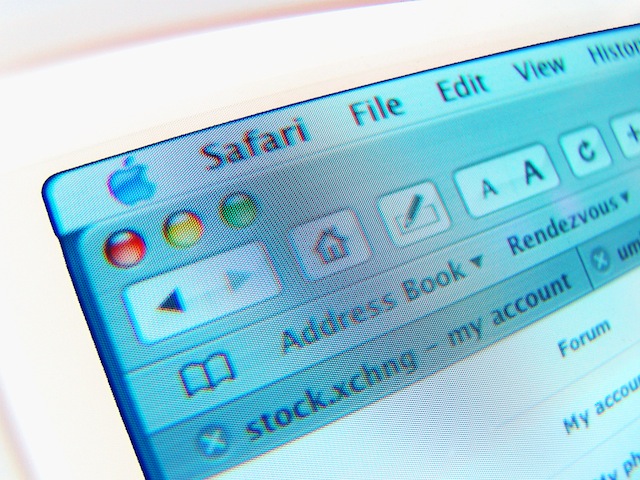
    If you use a Mac then the Safari browser is included with your system. Windows users can download a free version from Apple.

    Of the four, Mozilla Firefox is the most popular with Google Chrome gaining acceptance.

    All of these alternatives are perfectly good for general web browsing. It’s best to try each and use the one you find works best for you.

    Unfortunately you can’t completely get rid of Internet Explorer. Not only is it a integral part of Windows, but some web sites won’t work properly on anything else.

    Most notably for business users is the Outlook Web Access function, part of the Microsoft Exchange service, only works properly in Internet Explorer.

    While we can’t ditch Internet Explorer, we can be sparing in its use. Consider the options and choose what works best for you.

    Diversity is good in many fields. A variety of programs is good for your desktop.

    Similar posts:

    • No Related Posts
  • Protecting yourself on Facebook

    Protecting yourself on Facebook

    Social networks are great way of keeping in touch with friends, family and colleagues. With 500 million users, none is a more effective tool than Facebook.

    Keeping in touch with friends and relatives though does have a downside, sometimes you might give away more than you intend to. When you share with friends on a social service, everyone in your network can see what you are doing.

    To make things worse, many social media businesses will give away their customers’ private information to make a few dollars as the controversy over Facebook’s recent changes to their privacy settings and the company’s subsequent backdown shows .

    Because this information is valuable, organisations are prepared to pay for it and the bad guys are eager to trick it out of you. Given the risks of identity theft, stalkers or all manner of Internet crazies finding you online, it’s important to guard this information.

    Facebook don’t make it easy to protect yourself, but you can hide key information.

    Take off personal data
    The first, simple step to protecting yourself is to move as much data as possible off your profile – home address, phone number, relationships, sexual orientation, birth year  – are a few things that simply don’t need to be online. Take off everything that could potentially cause problems, you may need to use some judgement on what you’re comfortable sharing with your online contacts.

    Birthdays are a good example of where you should use that judgement. Facebook’s quite a good tool for reminding you of birthdays, but your birth date is also an important part of identity theft. If you do want to share a birthday, never put your birth year in – your relatives and friends have a good idea of how old you are – and you might want to consider putting the date a day or two earlier than the real day.

    To change your Facebook profile information, click on the Profile link on the right hand side of your Facebook home page, you can edit all your details from there as shown below. Remember to click Save Changes after making each change and move between the different categories to ensure you’re only sharing what you’ve comfortable with.

    Changing your Facebook profile informationSet your privacy
    Facebook makes assumptions about what you want to share with your network of friends. This is not always in your interests and you should regularly review what your settings are as Facebook have a habit of changing how the privacy settings work.

    To enter the privacy settings, click Account and Privacy Settings as shown below. Once you’re in the Privacy Settings, click on Custom option and Customise Settings. You can then set your details to only be accessible to you or your friends. The following example shows a recommended configuration which may be suitable for you.

    Facebook Privacy Settings

    Choose your friends
    Many people treat Facebook and other social media services as a competition to gain as many friends, connections or followers as possible. This isn’t the point and on Facebook in particular it opens you up to a number of risks.

    Once someone is your Facebook friend, they are privy to any information you choose to share and much of what your other friends post on your wall. The main risk is that new Internet is not quite as stable or honest as you thought. By accepting friend requests from people you don’t know you increase the risk of letting risky individuals into your life, your family and your group of friends.

    Another danger lies in the Facebook places feature which allows your friends to check you into locations. A malicious “friend” or a practical joke could see you being advertised as having checked into a place you really don’t want to be associated with.

    If you decide that is an acceptable risk, then revise the above recommendations on your profile information. If you are promiscuous in who you befriend online then be very careful about the information  shared with them.

    Be careful which applications can see you
    Facebook applications are one of the reasons for it’s success. These applications – or mini-programs – allow you to play games, enter competitions and sign up with other services quickly.

    The proposed change in January 2011 to the information Facebook gives out to application owners would have allowed a lot of your personal information to be shared with third party developers. As it is quite a few of these applications “scrape” information from the various services you subscribe to. A good example is with Twitter where private, non-public, messages can be seen by some of these services.

    You should only allow applications to use your Facebook connection details if you absolutely trust them; right now, there are few services people can or should trust.

    If you have been allowing Facebook to connect your subscriptions to other websites, then you may want to review who you’ve given trust to. To do this, click Account then select Privacy as shown above. In the Privacy page click Apps and Websites and the page shown below will appear. By clicking Edit Settings you can then delete applications or change what they are allowed to do on your profile.

    Facebook Privacy Settings

    Despite the risks of stalkers, identity theft and various privacy issues, Facebook is a valuable tool for millions of people who want to keep up to date with their friends, relatives and colleagues. By being sensible in choosing your online friends and what you share with them, it is a great website for keeping in touch with people you might otherwise lose track of.

    Similar posts:

    • No Related Posts