Category: cloud computing

  • Burying the DVD

    Burying the DVD

    Among the topics covered last night on the ABC Nightlife tech segment was the post-PC era as Windows 10 is launched to an indifferent marketplace.

    Some of the listeners didn’t take kindly to describing the current tech market as being the post PC world while others were distressed at the idea we’d be losing our DVD and CD players as software, games and music goes online.

    The main concern from listeners was they would be losing their disk collections. This is interesting as cloud computing, streaming and digital downloads marked the death knell of physical electronic media five years ago. It seems some people haven’t quite realised the model we’re moving to.

    For the music, games and software industries having cloud based online services or downloads brings many advantages – not least the promise of recurring revenue rather than the lumpy one off sales of physical box sales.

    Customers though are not so well served; while business users get the benefits of reduce up front capital costs, consumers at home are faced with paying a monthly fee to access their music or games collections.

    In the worst case, they can find themselves cut off should there be a change of policies or some arbitrary breach of conditions.

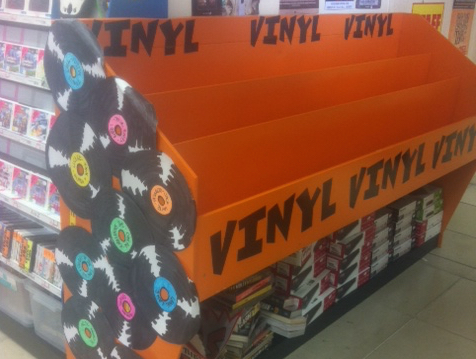
    Despite the downsides, the cloud model is now the way digital media is being distributed. The DVD an the CD is going the way of the vinyl record.

    Similar posts:

    • No Related Posts
  • Five basic software tools for a new business

    Five basic software tools for a new business

    Last week I was asked by someone considering starting a business what I’d recommend in the way of software for a new company.

    That’s a good question as cloud services have completely changed what a business should buy over the past five years when the answer back then would have been to buy a new PC with Microsoft Office preloaded along with a boxed accounting package.

    More importantly for a cash strapped business, whether it’s a tech startup or a more conventional business, today’s cloud based tools don’t need new computers and most have free versions that suffice for those early days before a venture has established a cash flow or its viability. That radically changes the economics of setting up a new business.

    Google Docs

    This is the basic essential tool for a new business giving a basic word processing, spreadsheet and presentation package. The free version of Google Docs is technically only available to educational or home users, but then you are running your new business from home aren’t you?

    Paid versions of Google Apps are either five dollars or ten dollars per user per month depending on the features or storage you want. Again for most small business the cheaper version will usually suffice.

    For power users, Microsoft Office is often unavoidable as the spreadsheet and wordprocessing features of Excel and Word are far more extensive than Google’s.

    Email and calendar functions

    Once upon a time your choice of email tool mattered, today it doesn’t as there’s no shortage of free cloud based tools or, if you’re a Mac user, Apple Mail. For most small businesses it’s easiest just to choose Google’s Gmail or Microsoft’s Outlook.com. If you’ve chosen Microsoft’s Office 365 package than Outlook is part of the business bundle.

    Also in the past having an online, shareable calendar was a nice to have but often expensive feature that required a server. Now almost all systems come standards with calendars although Google has the edge in terms of sharing calendars between workgroups.

    Storage

    Being able to store and share files into the cloud has been a boon for small businesses which in the past needed to have an expensive and clumsy inhouse server if they want to share information or even just to access it on the road.

    Microsoft give unlimited storage for Office 365 subscribers while Google offer 15Gb for the free Docs service, 30Gb for the $5 Apps Plan and unlimited space for the $10 Apps plan if you have more than five users. Apple’s pricing is more complex with five different tiers although iCloud is a much more elegant solution for backing up iOS and OS X devices.

    Two third party storage providers such as Box and Dropbox are also worth considering with both offering advanced tools and integration with other cloud services. Dropbox offers a free version with 2Gb of data, a Pro version including a Terabyte of space and a business version that is unlimited at $17 per month.

    Accounting

    One of the biggest mistakes a new business makes is skimping on accounting software. This is one of those areas where cutting corners early can be expensive later. The most popular cloud accounting service for small business is Xero which does a great job in integrating with other online platforms including Office 365 and Google Apps for $25 a month.

    Xero though is not alone in this field with MYOB, Reckon, Quicken and others fighting for marketshare. It’s best to talk to your accountant and find what they work with as this will save problems when you come to do your books.

    Website

    Every business needs a web presence. If your new company is a local service, retail or hospitality outlet then you have to be listed on Google My Business which literally puts your company on the map. Listings on Facebook and signing up with all the main social media services is a must do as well.

    The cornerstone though of an online presence though is a website and the easiest, quickest and no-cost way is to set up a website on Google’s Blogger platform. Once your business gets up and running then having your own web server running WordPress is the best long term solution but in those early days Blogger will suffice and the upgrade path between the two is surprisingly painless.

    Every business though is unique and your business might need more than these five basic tools. If you’re in hospitality and retail you’ll need a Point of Sale solution while if you’re a tech startup products like Slack and Basecamp may be needed as well.

    The five basics though are common to all businesses regardless of the industries they’re in and regardless of the aspirations of the owners. The fact you can set up a business for almost nothing is one of the reasons why it’s worth giving it a go.

    Similar posts:

  • Shifting Microsoft’s culture

    Shifting Microsoft’s culture

    “What would be lost if we disappeared?” is the question Microsoft CEO Satya Nadella claims is driving the company’s direction in his latest memo to employees.

    In the email obtained by website Geekwire, Nadella told his staff redefining the company’s culture is key to success, “we can do magical things when we come together with a shared mission, clear strategy, and a culture that brings out the best in us individually and collectively.”

    That culture though is not static and Nadella is describes how the company needs to focus on helping its customers through its cloud and Windows based products.

    For Microsoft this is not new, the change from a desktop and server based licensing business to one dependent upon cloud subscription services has been a huge change for the business since the iPhone was released nearly a decade ago.

    The challenge for Nadella however is to keep revenues coming in as the river of gold that was Microsoft’s Windows licenses slowly dries up.

    One of the biggest changes to Microsoft’s culture could be in coming to terms that it isn’t such a huge and powerful corporation any more.

    Similar posts:

    • No Related Posts
  • Social media types, IoT gadgets and the internet’s future –ABC Nightlife May 2015

    Social media types, IoT gadgets and the internet’s future –ABC Nightlife May 2015

    Paul Wallbank regularly joins Tony Delroy on ABC Nightlife on to discuss how technology affects your business and life.

    Along with covering the tech topics of the day listeners are welcome to call, text or message in with their thoughts and questions about technology, change and what it means to their families, work and communities.

    If you missed the May program, it’s now available on our Soundcloud account.

    For the May 2015 program Tony and Paul looked at some of the gadgets coming out of the Internet of Things, what your social media posts say about you and Mary Meeker’s big Internet Trends report.

    Join us

    Tune in on your local ABC radio station from 10pm Australian Eastern Summer time or listen online at www.abc.net.au/nightlife.

    We’d love to hear your views so join the conversation with your on-air questions, ideas or comments; phone in on 1300 800 222 within Australia or +61 2 8333 1000 from outside Australia.

    You can SMS Nightlife’s talkback on 19922702, or through twitter to @paulwallbank using the #abcnightlife hashtag or visit the Nightlife Facebook page.

    Similar posts:

    • No Related Posts
  • Building a future proofed business

    Building a future proofed business

    A few weeks ago the source of all wisdom for micro-businesses, Flying Solo, and I did a webinar on Future Proofing Your Business.

    During the presentation we looked at the big trends that will affect business over the next decade with a focus on some of the demographic, economic and technological changes that are happening today.

    The technologies are evolving rapidly and some of those we focused on as being business changing are the driverless car, automation, robotics, the internet of things and cloud computing.

    As with all good presentations we took as many audience questions as possible and the feedback was particularly pointed on one topic, “given the degree of automation, where do the jobs come from?”

    Finding the jobs of the future

    While to some it might be surprising to hear this from a business audience, it’s very much a valid question given most of the solo operators tuned in are in consulting type roles that will probably be eliminated or affected by algorithms or robotics, if not outsourcing through o-desk, Airtasker or similar services.

    Exactly what will be the jobs of the future is a difficult question to answer as predicting what tomorrow will look like is a fraught task, predicting in 1990 that web designers and online analytics would be a growth field ten years later is a good example.

    A changing economy

    What we can be sure of though is that business and employment does change and evolve around technological advances. The third slide of the presentation shows Sydney’s Circular Quay in the 1920s.

    The economy though was still predominantly farm based, in Australia around a quarter of the workforce were in agriculture – in the US 27% of the population were farmers – in both countries today it’s below three percent.

    All of those displaced eventually found jobs, although the transition costs were great as John Steinbeck documented in the Grapes of Wrath.

    Free your mind and the rest will follow

    So the key to future proofing your business lies in not being one of Steinbeck’s Oakies and that requires a mental shift, we need to be data literate and deploy the tools that mean our companies are more responsive to changing markets.

    One of the keys to business survival in a changing world is to use the right tools, particularly cloud computing services some of which I’ve listed below.

    We only touched on a small number of ways that the world is changing, for instance the image illustrating this post is Microsoft’s Holo Lens and we haven’t mentioned Virtual Reality at all. The key is to keep an open and flexible mind.

    Office applications

    One of the biggest costs for business is the software for writing letters and working on spreadsheet. There’s free and paid for services that you can use on the cloud that cut your costs and increase your office productivity.

    Google Docs
    Evernote
    Zoho Docs

    Website platforms

    There’s plenty of free, or cheap, tools to get your name out on the web. Don’t forget to register you business name’s domain though.

    WordPress
    Blogger
    Wix

    Design software

    In a crowded world good design matters, Canva is a good quick way to get a good looking logo and graphics for your business.

    Canva

    Accounting services

    One of the greatest challenges for small business is doing their books and accounting software is a must have for every commercial operation. Online services reduce costs and increase flexibility for businesses of all sizes.

    Saasu
    Xero

    MYOB Business Essentials

    Customer Relationship Management

    CRM software helps you monitor and understand who your customers are and what you’re doing for them.

    Salesforce
    Sugar CRM

    Backups

    Backing up is critical for your business. Having an online automated backup helps you ensure essential data is safe.

    Carbonite

    Shared storage

    Sharing files with others helps your business be more efficient as teams can get work done without using the same computer.

    Dropbox
    Box.net

    Communications

    Voice over IP, or VoIP, is a massive cost saver and most of them are cloud services.

    Skype
    MyNetFone

    Project management

    Running and managing projects is a complex task made much easier with a good project management program to keep track of tasks and time.

    Basecamp
    Zoho Projects

    Outsourcing

    Cloud computing and online services are making outsourcing possible for small businesses. With a browser and a credit card, you too can be in the outsourcing business.

    Upwork (formerly O-Desk
    Freelancer

    Similar posts:
    • No Related Posts