Category: computers

  • Thoughts on Windows 7

    “From today, when we say Windows we’re talking about Windows 7”, announced Jeff Putt, Windows Consumer Lead of Microsoft Australia last week. And with that, Microsoft formally buried Windows Vista at their Sydney Windows Seven launch.

    We won’t miss Vista, it was slow, clunky and irritating to use. Like Microsoft’s previous OS disaster, Windows ME, it was a hybrid of new and old technologies that managed to satisfy few users.

    Vista’s poor reputation effectively broke the upgrade cycle where businesses and consumers replace their computers roughly every five years. Rather than taking their chances with Vista, PC owners decided to stick with their ageing XP boxes.

    So Windows 7 is being held out as the saviour of the computer industry as Microsoft’s customers are expected to rush into long overdue upgrades. Some commentators predict the new operating system will reinvigorate PC sales that have been battered worldwide by the Global Financial Crisis.

    The reality is probably a bit more complex, there’s no doubt the combination of the global downturn and customers putting off computer purchases hurt the industry, but to expect a surge of sales may be optimistic.

    Most computer users are a cynical bunch who have heard all the hype before and won’t be rushing out to buy anything just because some bloke on the web tells them it’s the greatest thing since Wordperfect 5.1. The days of crowds waiting to buy the latest operating system are long gone, at least in the PC world.

    While it isn’t worthwhile queuing up on a cold morning for Windows 7, the new program is a vast improvement on Vista. In a hopelessly unscientific experiment, I installed a complimentary copy of Window 7 Ultimate supplied by Microsoft on my wife’s cranky, Vista supplied laptop.

    The results were good. Boot up time was reduced by 34% to 55 seconds while Internet Explorer loaded twice as fast and Word 2003 documents opened a whopping 300% faster.

    For the record, the machine isn’t exactly a powerhouse being an Acer Extensa 5220 Celeron 2GHz CPU with 512Mb of RAM ­– exactly the sort of machine that should never have been supplied with Windows Vista in the first place, which was part of Vista’s problems.

    So my experience with Windows Seven has been so far favourable. If you have been through pain with Vista, it may be worth upgrading although you will probably find driver and software problems won’t be solved by the new program.

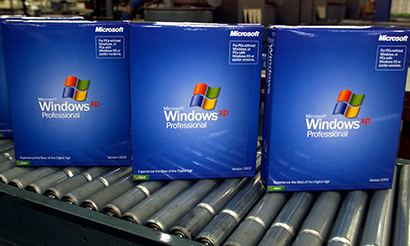
    For XP systems it almost certainly isn’t worth the upgrade to Seven as the process requires a fresh install, substantially increasing the cost, time and risk involved in making the move.

    Overall, XP machines are best replaced outright as many are well past their retirement date as owners have held off being forced into buying Vista machines.

    If upgrading or buying Windows 7 systems is on the horizon then you should start preparing now. Get a few Windows Seven machines and test them in your office; monitor how they go with your critical line of business systems, check they connect properly to your network and start getting familiar with the quirks and differences in the new system.

    While Windows 7 isn’t flawless, Microsoft have learned from the mistakes they made from Vista, it is faster and so far seems less irritating and more stable. If you are struggling with Vista, or your Windows XP systems are on their last legs, the upgrade will probably be worthwhile.
    Similar posts:

    • No Related Posts
  • Buying a new computer

    This article originally appeared in Smart Company.

    After discussing tech purchases my Smart Company column two weeks ago, a few readers have asked what they should be looking for in a new computer.

    The answer, like everything in IT, is “it depends”.

    While computers are a tool, they are unique in their flexibility, and every user has different needs. So these suggestions are based on pretty generic use – if you have a specific application, or you’re a high-end user, then you really need to make sure your system meets your requirements.

    CPU

    Some people obsess about chip speeds and processor specs. The ugly truth is it barely matters for most users. Don’t sweat all the CPU mumbo-jumbo and leave the “front side bus” penis envy to others who don’t have work to do.

    Hard drive

    If you are connecting to a network, hard drive space isn’t critical. For a desktop computer, 320Gb drives are the standard entry point, and 160Gb for laptops. If you are running a home office or you handle lots of media files, then 750Gb or a terabyte (1000Gb) may be the way to go.
    If you are considering netbooks then you will find hard drive space is far smaller, with as little as 9Gb; this is OK if you intend to store files on network servers or out on the internet cloud.

    Memory

    This is the easy bit – the more memory the better. All good value systems come with 2Gb and an upgrade to 4Gb is money well spent.

    Graphics card

    Video capacity is where cheap systems fall down. Many entry level systems use “shared memory” where the video system shares the work with the CPU. These systems perform dreadfully on Windows Vista and struggle to support higher resolutions.
    Spend the extra and go for a video card with at least 256Mb of RAM. Many units have the option of going up to 512 and 764Mb, although I’d prefer to spend the money on system memory before video cards. Your view might be different to mine though.

    Monitor

    On desktops, the bigger the better. Go for a 20″, 22″ or 24″ monitor. Get two monitors and you’ll see office productivity soar.

    Portables are a different kettle of fish. Personally I love the compact 7″ netbooks for their weight and size, but many people prefer 15″ screens. When choosing a laptop, you need to make a compromise between price, screen size and weight that meets your needs and budget.

    Optical drives

    DVD-R/W is still the way to go. You don’t save much by leaving the writing function out, and being able to burn disks from your system is handy. Ignore BluRay as it remains expensive with little take up in the market.

    Networking

    Some real cheap and nasty machines may still have 100Mbit ethernet. Avoid these like the plague. If it doesn’t have a gigabit ethernet don’t buy it.

    Similarly, all laptops have wireless capabilities and the 801.11g standard (54Mbit) is the norm. Most laptops now have some version of the newer 801.11n standard, but keep in mind the final 801.11n standard won’t be released until the end of this year.

    Warranties

    Three years is the only way to go; don’t consider otherwise. If the computer is mission critical, a same day warranty makes sense, but most businesses go for next business day service to balance cost against reliability.

    Mac or Windows

    Whenever a SmartCompany blogger wades into the Mac versus Windows argument, Amanda Gome is delighted with the increased site traffic until the server melts down and the death threats start arriving.

    Suffice to say, you should use whatever works best for you. It’s your equipment and your business, and no-one else has the right to tell you whether Microsoft, Linux or Apple are better.

    Price

    Overall, a good business computer to these specs will come in around $1500 for the desktop and $1800 for a portable. Add another 25% for Apple equipment, although the lifetime cost of ownership is around the same for Apple and Windows-based PCs.

    That’s a rough idea what to look for when specifying computer systems for your office. Have a good look at your needs and budget and you should be able to find some good bargains to help your business work better.

    Similar posts:

    • No Related Posts
  • Has Microsoft learned anything from Vista?

    Has Microsoft learned anything from Vista?

    CNet’s Ina Fried reports Microsoft has set an October 22 release date for Windows 7, their new operating system to replace the flawed and unpopular Windows Vista.

    In an article earlier this year, Ina quoted Microsoft Senior Vice President Bill Veghte that Microsoft has learned important lessons from Vista.

    One lesson they appear not to have learned is how multiple versions of the product confuses the marketplace and tarnishes their brand.

    That we still have FIVE versions of the new system, and that they’ve locked themselves into a release date before the final Release Candidate version, doesn’t bode well for Windows 7.

    As usual, the advice for most computer users will be to sit and wait until the first Service Pack is released. I wonder if Microsoft will repeat the bluff of claiming there will be no service pack which failed so dismally with Vista?

    Let’s see if they’ve actually learned anything from the humiliation that was Vista.

    Similar posts:

    • No Related Posts
  • Computer hostility

    While at the Sydney CeBIT last week, a speaker made a comment about how getting managers to accept social media is a big step given many  proudly complain they know nothing about computers and care even less.

    A few days later when flying down to Melbourne for the Future Summit, I read an article by Glenn Wheeler telling how he smashed his computer after getting a virus, an act he said “sent a warm feeling through my body.”

    Bizarre.

    I’ve long lost count of the people who tell me they are proud to know nothing about computers but I still get rattled by people who are openly and proudly hostile to technology.

    The problem for these people is they are being left behind, just like the Luddites they are well on their way to becoming a historical curiousity.

    That’s fine for Glenn and other individuals, it’s good not to know anything about anything if you wish to be ignorant. But a business that chooses to ignore technology is quickly losing ground to smarter competitors.

    Ignorance isn’t a good look at any time, but it’s even worse when it’s killing your business.

    Similar posts:

    • No Related Posts
  • Does IT kill competition?

    Andrew Mcafee’s article of the effects of IT on competition and businesses raises some interesting points .

    http://blog.hbs.edu/faculty/amcafee/index.php/faculty_amcafee_v3/curiouser_and_curiouser/

    His conclusion is technology isn’t a leveller between businesses – instead it creats a greater concentration of market power.

    I wonder if those results Andrew cites are biased because of the economic boom and easy credit we recently been through; start ups were bought out by cashed up bigger players and that’s why we saw a concentration of businesses.

    Regardless of the reasons, there’s a caveat for the bigger players; Andrew’s view is this because “good ideas and good execution separate winners from losers” and technology is what allows these good ideas to spread in a well run company.

    This week’s collapse of Wedgwood is a good example of when a company’s culture stifles ideas and innovation. The New York Times has an excellent description of what went wrong and Seth Godin has some wise comments on the NYT strory.

    Similar posts:

    • No Related Posts