Tag: security

  • Protecting your technology over the holidays

    Protecting your technology over the holidays

    This post first appeared in the Xero Accounting Software Blog, the advice for protecting your computers and networking equipment applies for home and business users.

    The holiday season is here and for many it’s time for a much needed break. Before doing so it’s worthwhile taking a few precautions with your computers and other electronic equipment.

    While most of us are moving our data to the cloud, there may still be some data that remains on your office systems. Bear in mind that if your router is damaged or desktop computer has gone missing, you won’t be able to access the web.

    And even though your systems will spend much of the next fortnight turned off there are still risks such as power surges, fire and theft etc. There’s even the risk of a virus creeping in when you turn things on when you return. So here’s some things to consider before you leave.

    Reset passwords

    The New Year is a good time to refresh passwords, so review what your key login details are and update them to stronger, more secure phrases. I personally like using phrases like a song or poem and dropping characters into the spaces so a password might look like: Mary$had$a$little$lamb

    You can make the passwords stronger by adding numbers and capitals as well.

    Staff turnover happens in all businesses and you may have forgotten to remove some former employees from your accounts when they left. The end of the year is a good time to review who has access to your cloud and remote access accounts.

    If you’re a social media user it’s also worthwhile checking what applications you’ve allowed to access your Facebook, Twitter or other online services. That mafia or farm game looks harmless, but often you’ve given it the right to post things and collect data from your account, so take off the ones you no longer find useful.

    Unplug everything

    Even when turned off, most modern computer equipment still has power running through its systems. This puts technology at risk during storms or brownouts. Printers, modems, routers, should all be turned off and disconnected from power and communications lines.

    Network, telephone line or cable connections should be unplugged – power surges can often affect phone and cable network connections. In fact you should unplug anything that connects your equipment to the outside world.

    Hide your equipment

    Give thieves as little temptation as possible. Electronic equipment has a high resale value and is easily moved. Lock away anything portable and draw the curtains or blinds in rooms where less portable equipment is kept.

    If you have an old laptop or mobile phone sitting around it’s not a bad idea to hide away the modern equipment and leave the old stuff in an obvious location. This is a variation on the old “leave ten dollars in the cash draw” ploy that gives thieves something without them ransacking the place. Don’t leave the sacrificial laptop in plain sight or you’ll be inviting break-ins.

    Backup

    One of the advantages with cloud computing is that many of your backup needs are taken care of. Unfortunately you still need your own local backups.

    In most offices not everything gets saved to the cloud and that information matters. For many small business years of work is sitting on the hard drive.

    External hard drives and DVDs are the most popular ways of saving backups. Your backup should include documents, email, address books, favorites and bookmarks.

    Store the backups away from the computer, preferably offsite. I recommend making two copies, leave one onsite for easy access and store one elsewhere. If something terrible happens to your home or office while you are away, your data is at least safe.

    For home offices, it’s a good idea to leave a copy of the backup with your neighbours or a relative in a nearby suburb. An old client of mine swaps external hard drives with his mother- in-law at church each week so he has a reasonably up to date copy of his data somewhere he knows he can get to.

    When you return

    Your computer is the very last thing you should turn on. Turn on modems, printers, external drives and network equipment before your computer. If you have a cable or ADSL Internet connection, give it a few minutes to connect before trying to log on.

    Update your system

    While you were away new Internet nasties in the form of viruses, Trojan horses and spyware will have come out and there’s a good chance some of them may be waiting in your inbox.

    Before checking emails or surfing the net, update your security software and check for any system updates. Don’t do anything on the net until everything is updated.

    Christmas and New Year are times when you should relax. There’s nothing worse than returning to find office equipment and valuable data lost. By backing up your systems and taking some precautions you don’t need to feel anxious about your business being up and running quickly when you get back to work.

    Enjoy your holidays and let’s all look forward to a great New Year.

    Similar posts:

  • The online business playground

    The online business playground

    This article originally appeared as The Business Playground on Smart Company.

    Last week, I was lucky to be invited to talk about digital citizenship with school kids and their parents in the Griffith area.

    The concept of “digital citizenship” is pretty simple – your behaviour online should be no different from how you’re expected to conduct yourself in the playground or business world.

    When talking to some of the parents about the issues their kids face, it stuck me just how seriously most of the concepts like being accountable for your behaviour, safe computing and avoiding bullying are as applicable as much to business as the schoolyard.

    Bullying in the workplace is pretty common and – as the tragic case of a young waitress who killed herself after being bullied at a Melbourne café shows – employers are directly responsible if they don’t control it.

    While the Melbourne case didn’t have a digital aspect, what employees put up about their co-workers on social media sites or on blogs or in emails can be bullying as well.

    Making things worse when social media or the web is involved is that most of the evidence is in writing and difficult to erase.

    Safe computing, such as creating strong passwords and not sharing them, is one important part of being safe online.

    Just as kids get into trouble by sharing their passwords with their friends, so too do businesses that common login details for their key systems and services.

    Some weeks ago there was the story of a Texas waterworks that was hacked because their systems had a simple password.

    No doubt the login was kept simple to make things easy for staff and management, just like a 12-year-old sharing their Minecraft or Moshi Monster accounts with their big brother or best friend.

    Being accountable for your behaviour is probably something both kids and business people struggle with; just as kids don’t understand that taunting their friends through a Facebook page has real life consequences, many managers and entrepreneurs forget that laws and professional standards apply online as much as they do in any other area.

    Of course in business, it’s not just ourselves that can cause problems – our staff can get us in trouble too. Employees need to know that upsetting co-workers, customers, suppliers and competitors is unprofessional and can cost them their jobs.

    Having a staff acceptable computer use policy makes it clear employees are responsible for work related comments they make even on their personal accounts outside of working hours is now essential for all enterprises.

    In many ways, business is just like being in the playground. It’s usually fun, but when things go wrong it can be painful in many ways.

    Just as schools are on the look out for digital trouble among students, watch out for similar pain points among your staff.

    Similar posts:

  • Securing the USB stick

    Securing the USB stick

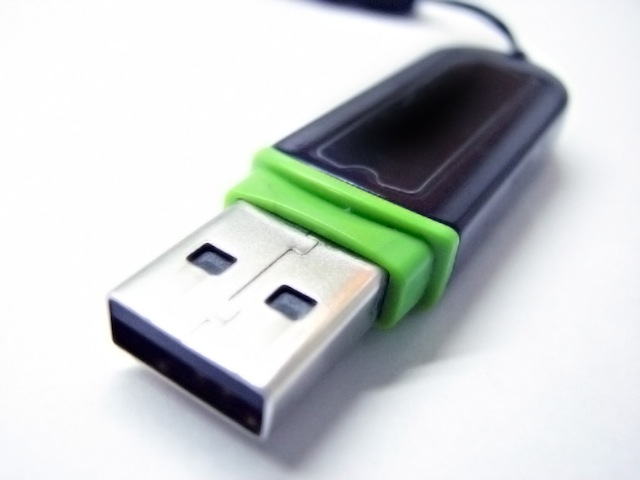
    While I’m always reluctant to publicise security company’s media releases – believing many of them to be hysterical hype – a quick study by Sophos on lost USB keys has some interesting lessons for all of us who use thumb drives to carry data.

    Sophos bought 50 USB drives at Sydney’s CityRail unclaimed lost property auction and analysed them for malware and security risks.

    The study – not yet online – found more than 4,400 files including photos, CVs and job applications. Confidential material that could be used for identity theft, stalking or commercial advantage.

    Encryption

    If you are moving confidential data between computers, it may be a good idea to consider encryption software that protects files from unwanted visitors. Mac OS X has encryption software built in as does  all but the home versions of Windows 7 and Vista.

    Should you have a computer that doesn’t come with encryption, or you’re taking the drive between different venues, then you may need a third party encryption program like TrueCrypt. Note you’ll need administrator rights to install the software on every machine you use.

    The Malware threat

    As a security company Sophos leaned heavily towards the malware aspect with a headline that 66%, or 33, of the drives had some sort of malware on them.

    While that statistic is suspiciously high, it does illustrate the risk of plugging USB sticks into school, office and internet cafe computers. Like unsafe sex, the likelihood of catching something nasty increases with the more partners you have.

    Perversely Apple Macs could be helping spread the malware as Mac users generally don’t use or need anti virus sofware and any viruses picked up on someone else’s Windows system can sit undetected and dormant until they are used on another PC.

    Consequently, its good practice to wipe a drive when you’re finished with it so along with deleting malware you are also not keeping unnecessary and possibly out of date files on your drive.

    Overall, Sopho’s survey illustrates why cloud services like Dropbox and Box.net are best for sharing data although the USB stick still has an important role when everything else goes wrong.

    Similar posts:

  • Spotting a security charlatan

    Spotting a security charlatan

    Google’s Open Source Programs Manager, Chris DiBona recently pointed out how IT security industry charlatans keep making false claims to push the sales of their software products and consulting services.

    “If you read an analyst report about ‘viruses’ infecting ios, android or rim,” says Chris,  “you now know that analyst firm is not honest and is staffed with charlatans. There is probably an exception, but extraordinary claims need extraordinary evidence.”

    Sadly, the computer press tends to accept these extraordinary claims at face value and allows the charlatans to repeat their snake oil pitches without subjecting them to critical analysis.

    Fortunately for those who care about the security of their home and business IT systems, there are ways to spot the charlatans and their dodgy wares.

    The Big Target theory

    When you read a claim that the Windows malware epidemic of the early 2000s was due to Microsoft being a big target as opposed to the tiny market shares of Apple and Linux, you can be sure they are the words of someone who is at best clueless selling a dubious product.

    This theory is nonsense, as I’ve explained previously, and anyone who genuinely believes this has no experience in dealing with the poorly secured operating systems that were Window98, Me and the early versions of XP.

    If you are confronted by somebody making this claim ask them why, now smartphones are outselling desktop computers, where is the widespread malware promised for mobile systems? It doesn’t exist for exactly the reasons Chris gives in his Google+ post.

    Real Soon Now

    The other key indicator is the “real soon now” claims – that a virus is about to burst onto the scene that will rub the smile off the face of smug Mac and Linux users.

    Invariably the hysterical headlines are backed up with claims, almost always taken from a vendor’s press release, that a security company’s researchers have identified a threat that is about exploit wilfully clueless users.

    Daring Fireball’s John Gruber has done an excellent job of dismantling this rubbish in his classic post “Wolf”.

    His post was provoked by the ‘news’ that a wave of Apple malware was on its way. That was six months ago and we’re waiting. John tracked similar stories back to 2004, none of which came to fruition.

    The modern snake oil men have an advantage in that tech journalists are desperate for page views and in many media organisations they no longer have the resources to critically analyse PR claims.

    Sadly there are real security issues that home and business users need to be aware of. Of course, much of the solution for this doesn’t sell dubious antivirus or expensive consulting services.

    In some respects, the proliferation of these stories is a reflection of the decline of the mainstream media business model.

    As more ‘news’ stories become lightly rewritten PR spin, the less readers take those outlets seriously and once trusted journals of record become little better than online gossip rags.

    Important issues, like information security, deserve more than repeating the lies of those who profit from fear, uncertainty and doubt.

    Similar posts:

  • Avoiding industrial nightmares

    Avoiding industrial nightmares

    The Iranian nuclear program is crippled by a virus that infects their control systems while a hacker claims a Texas waterworks can be accessed with a three word password.

    Any technology can be vulnerable to the bad guys – obscure systems like office CCTV networks and home automation services can be as vulnerable as the big, high profile infrastructure targets.

    While there’s good reasons to connect our systems to the web, we need to ensure our networks are secure and there’s a range of things we can do to protect ourselves.

    Does this need to be connected?

    Not everything needs a Internet or network connection, if there’s no reason for a device or network to be connected then simply don’t plug it in.

    Keep in mind though that threats don’t just come through the web, both the Iranian malware attack and the Wikileaks data breach weren’t due to hackers or Internet attacks.

    Get a firewall

    No server or industrial system should be connected directly to the public Internet, an additional layer of security will protect systems from unwanted visitors.

    All Internet traffic should go through a firewall that is configured to only allow certain traffic through, if the router or firewall can be configured to support a Virtual Private Network (VPN), then that’s an added layer of security.

    Disable unnecessary features

    The less things you have running, the fewer opportunities there are for clever or determined hackers to find weaknesses.

    Shut down unnecessary services running on systems – Windows servers are notorious for running superfluous features – and close Internet ports that aren’t required for normal running of your network.

    Patch your systems

    Computer systems are constantly being updated as new security problems and flaws are found.

    Unpatched computers are a gift to malicious hackers and all systems should be current with the latest security and feature updates.

    This is a lesson the Iranians learned with the Stuxnet worm that was almost certainly introduced through an unpatched system – probably one running an early version of Windows XP or even 98 – which was vulnerable to known security problems.

    Have strong passwords

    Passwords are a key part of a security policy, they have to be strong and robust while being different to those you use for social media and cloud computing services.

    It’s also important not to share passwords and restrict key log in details and administrator privileges to those who require them for their work.

    With online services like social media, cloud computing and other web tools becoming a part of business and home life, we have to take the security of our systems seriously. Hardening them against threats is a good place to start.

    Similar posts: